Email Aggregator Explained: Features and Privacy
Learn what an email aggregator does, how it connects multiple providers, and which features and privacy controls to check before you choose one.

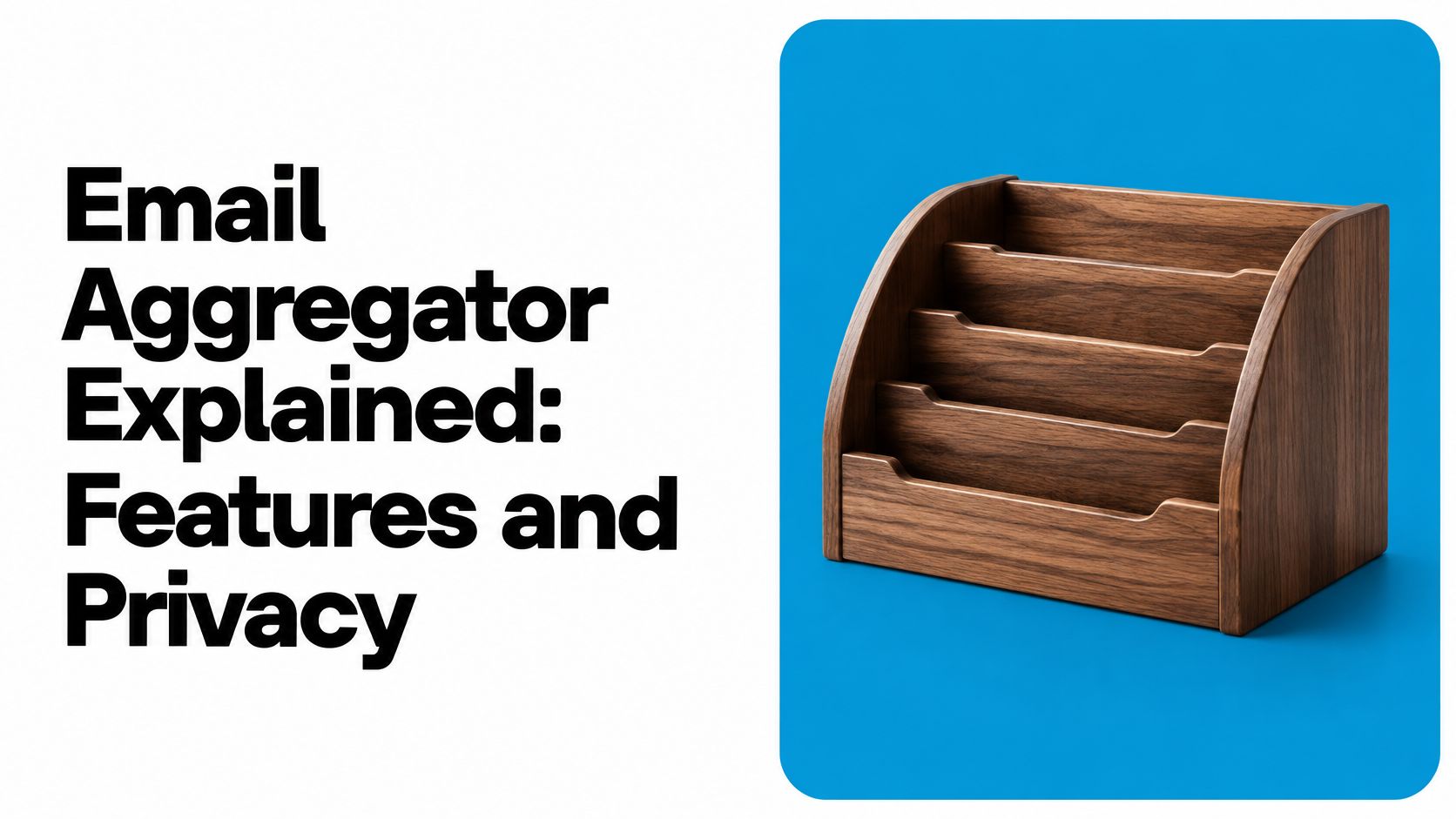
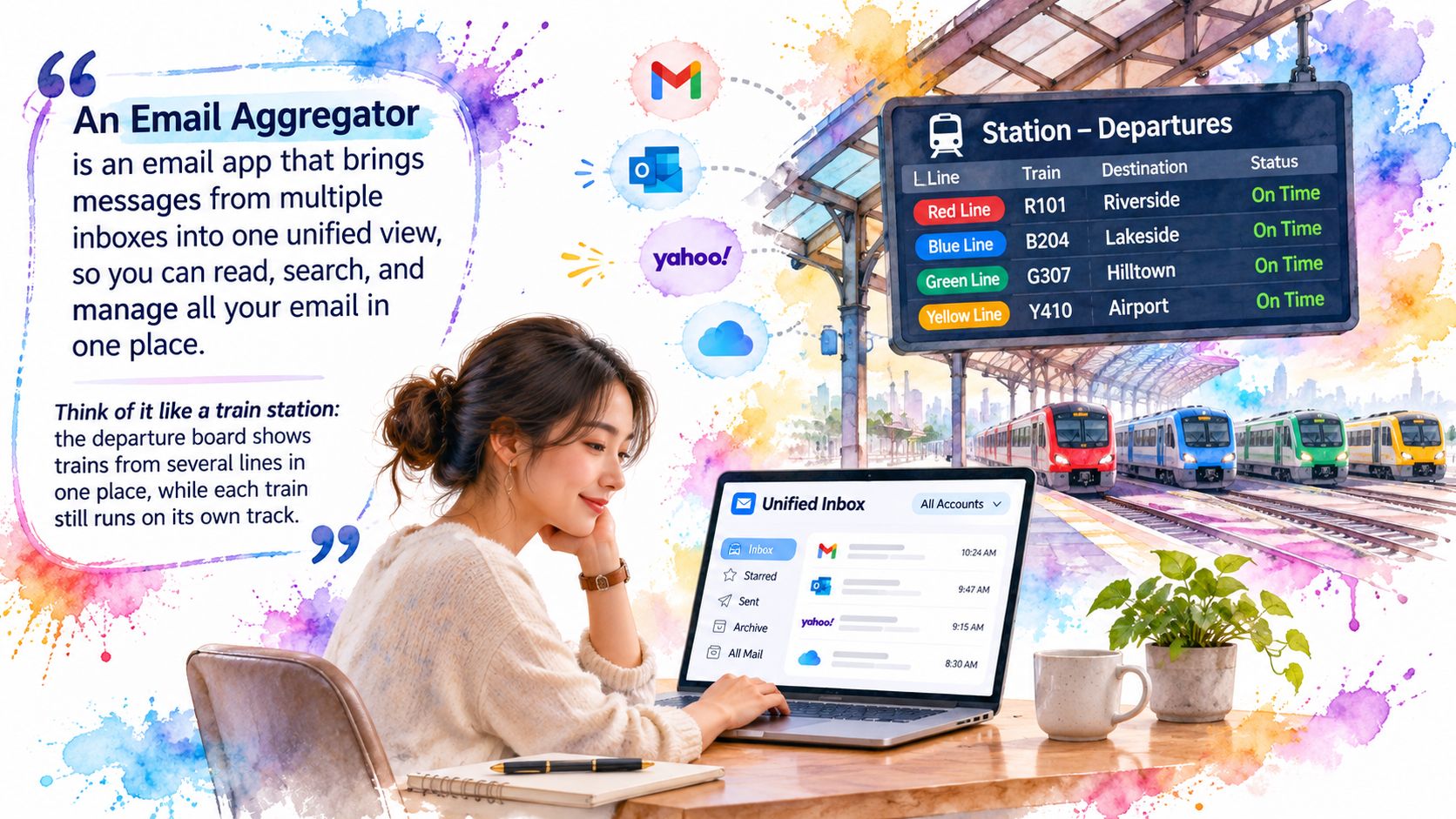
An email aggregator is software that connects several email accounts and shows them in one place while each account keeps its own identity.
You might have a client reply waiting in Outlook, a receipt in Gmail and a project attachment in iCloud, with each app showing a different unread count. The useful question isn't just whether you can combine those inboxes. It's whether you can do it without mixing sending identities, losing records or giving an assistant more access than you intended.
What an Email Aggregator Does for You
Think of a station departure board: it lists trains from several lines, but each train still runs on its own track.
Say you're a freelancer with personal Gmail, work Outlook, an iCloud address for client projects and a company-operated IMAP mailbox. You keep switching apps to check for replies, then repeat the same attachment search in each one. An email aggregator gives you a shared reading and search interface without requiring you to abandon those addresses.
The station analogy captures the distinction between a shared view and separate accounts.
The scale is substantial: the Radicati Group's Email Statistics Report estimated 4.594 billion worldwide email users and 376.4 billion messages sent and received daily in 2025, across business and consumer email. Those totals explain the broader workload, not how much mail any particular person receives.
A unified view isn't a merged account
Forwarding everything into Gmail creates incoming copies, but it doesn't automatically bring the original accounts' Sent folders with them. Adding addresses within a provider's own app may help, but only if that app also supports your other servers. An aggregator connects to the separate mailboxes rather than turning them into a single replacement account.
Mailbutler reported an average of 1.86 email accounts per user in its 2024 statistics, as cited in the multi-inbox report. Your own complexity matters more than that average.
- Several active identities: An aggregator becomes useful when switching accounts interrupts your work.
- Shared or client-facing addresses: You need clear ownership and reliable reply handling.
- Newsletter-heavy inboxes: Cross-account cleanup can be more useful than another notification stream.
Features to Check Before You Choose
Score a candidate against this checklist before opening its pricing page. Treat each item as something to demonstrate with your accounts, not merely a feature name on a sales page.
Aggregator feature checklist
| Feature | What to Check | Why It Matters |
|---|---|---|
| Provider coverage | Gmail, Outlook, iCloud, Yahoo, Fastmail and generic IMAP | Each missing provider leaves a separate app open |
| Account colours and labels | Visible in lists, threads and compose views | Helps prevent replies from the wrong address |
| Unified search | Searches all accounts at once, with an account filter | Avoids repeated searches per mailbox |
| Send-as and aliases | Lets you choose the sending identity clearly | Keeps client and personal mail distinct |
| Cleanup tools | Unsubscribe, old-mail filters and sender grouping | Reduces newsletter and old-message clutter |
| Data location | Where mail is cached and whether a vendor server handles it | Shapes your privacy exposure |
| Agent access scopes | Separate read, change and send permissions | Limits what an AI agent can do |
| Revocation | Cut one account or one agent without disconnecting all | Limits damage from a leaked key |
| Deletion behaviour | Whether delete is permanent or archive is reversible | Helps prevent accidental loss |
For the freelancer, the first must-have is persistent identity information. A coloured inbox icon isn't enough if the colour disappears when opening a thread or composing a reply. The work account should remain unmistakable when a client conversation appears beside personal mail.
Next, evaluate permission controls. An assistant used to find invoices shouldn't need permission to send messages. Look for account-level restrictions as well as agent-level permissions, and don't assume a revocable agent key automatically lets you exclude an individual mailbox.
The third requirement is a clear data-handling explanation. The vendor should distinguish local storage, hosted processing and information passed to another service. A statement that mail stays with your provider doesn't answer whether the aggregator also caches a copy elsewhere.
Shortlist rule: Reject a product when an important action or data flow remains unexplained, even if its unified inbox looks polished.
A missing Fastmail or generic IMAP connection is disqualifying if you use those servers. So is a delete control whose documentation doesn't distinguish moving to Trash, archiving and permanent removal.
Only then compare price. A cheaper subscription isn't a useful saving if you're still maintaining another app or compensating for unclear controls with manual checks.
How Aggregators Reach Each Mailbox
An aggregator opens a separate authenticated connection to each provider. In a server-synchronized setup, the original messages remain in their provider mailboxes, while the client reads their contents and tracks changes.
This diagram shows the connection pattern, rather than a migration into a new email account.
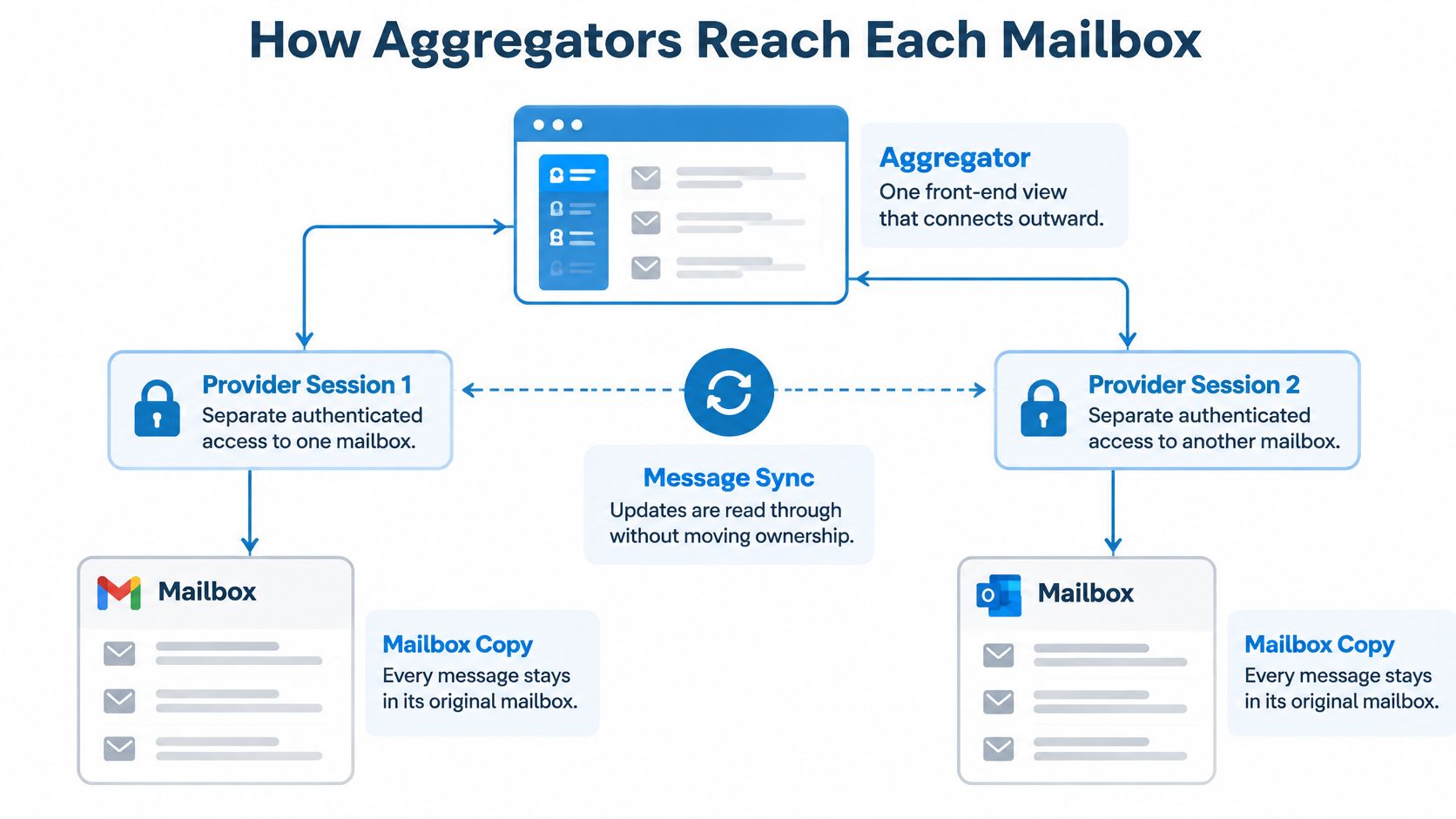
Aggregation is primarily a retrieval and synchronization problem. POP generally downloads mail to a device, making consistent multi-device use harder; IMAP keeps messages server-side and synchronizes folders and read status, as explained in Paul O'Brien's history of email. SMTP handles outgoing delivery, not the reading and organization of an existing mailbox.
Protocols and permission are different layers
JMAP Mail defines a JSON-based model for searching, fetching, organizing and sending mail, with push notifications that support rapid resynchronization. Event-driven updates can reduce repeated polling, but support isn't uniform across providers, so generic IMAP remains an important compatibility check.
OAuth, by contrast, is an authorization mechanism, not a mailbox synchronization protocol. A Gmail or Outlook connection can use OAuth to authorize an application without handing it your ordinary password. The permissions granted still need inspection.
For example, the freelancer could authorize Gmail through OAuth and connect the company server using its supported IMAP authentication. Both conversations appear together, but their provider connections remain distinct. An IMAP email client guide can help you identify the server settings needed for a custom mailbox.
Mail access methods compared for multi-account use
| Method | Where Messages Stay | Fit for Multiple Accounts |
|---|---|---|
| POP3 | Downloaded to a device, with server retention controlled by settings | Weak for synchronized multi-device use |
| IMAP | Kept on the server, with folders and read status synchronized | Strong basis for aggregation |
| JMAP | Server-side mail exposed through a JSON model with push updates | Efficient and event-driven; provider support is uneven |
| OAuth access for Gmail and Outlook | Provider servers, authorized per application and account | Authorization controls, not a retrieval protocol |
For another explanation of the email connection model, this video provides a visual companion.
What Archive and Delete Really Do Across Accounts
The provider's server is authoritative. An IMAP aggregator is a synchronized client, not an independent master copy, so actions should target the account that owns the selected message.
Keep the outcomes distinct. Archive normally removes a message from the inbox while retaining it on the server, using the provider's folder or label conventions. Delete may first move it to Trash; permanent deletion removes it from ordinary mailbox access. Unsubscribe requests an end to future list mail and does not remove existing messages by default, although a cleanup tool may combine those actions.
Test the action at the provider
- Choose an expendable message. Archive it inside the aggregator, checking the account label before confirming.
- Open the provider's website. Find the message in Archive or its equivalent, and verify that similar messages in other accounts are untouched.
- Reconnect and compare. After synchronization, check that the client still agrees with the provider.
The IMAP4rev2 specification explains why synchronization must account for removals: EXPUNGE events change message counts and sequence numbers. A client shouldn't identify mail only by its position in a list. Sound implementations track stable server identifiers, order mailbox changes and reconcile state after reconnecting.
Extensions such as CONDSTORE and QRESYNC help clients discover incremental changes rather than repeatedly fetching everything.
Archive is an organization action, not proof that you have an independent backup.
For business records, SourceX's email archive strategy for portfolio companies provides useful context for separating mailbox organization from backup planning. For the practical action itself, consult the guide to archiving an email.
Our agent tools don't permanently delete mail. When an agent archives a message, it disappears from our app's views of that mailbox too, because the app and connector act on the same underlying mailbox, not separate copies.
Privacy Risks When Connecting Accounts and AI Agents
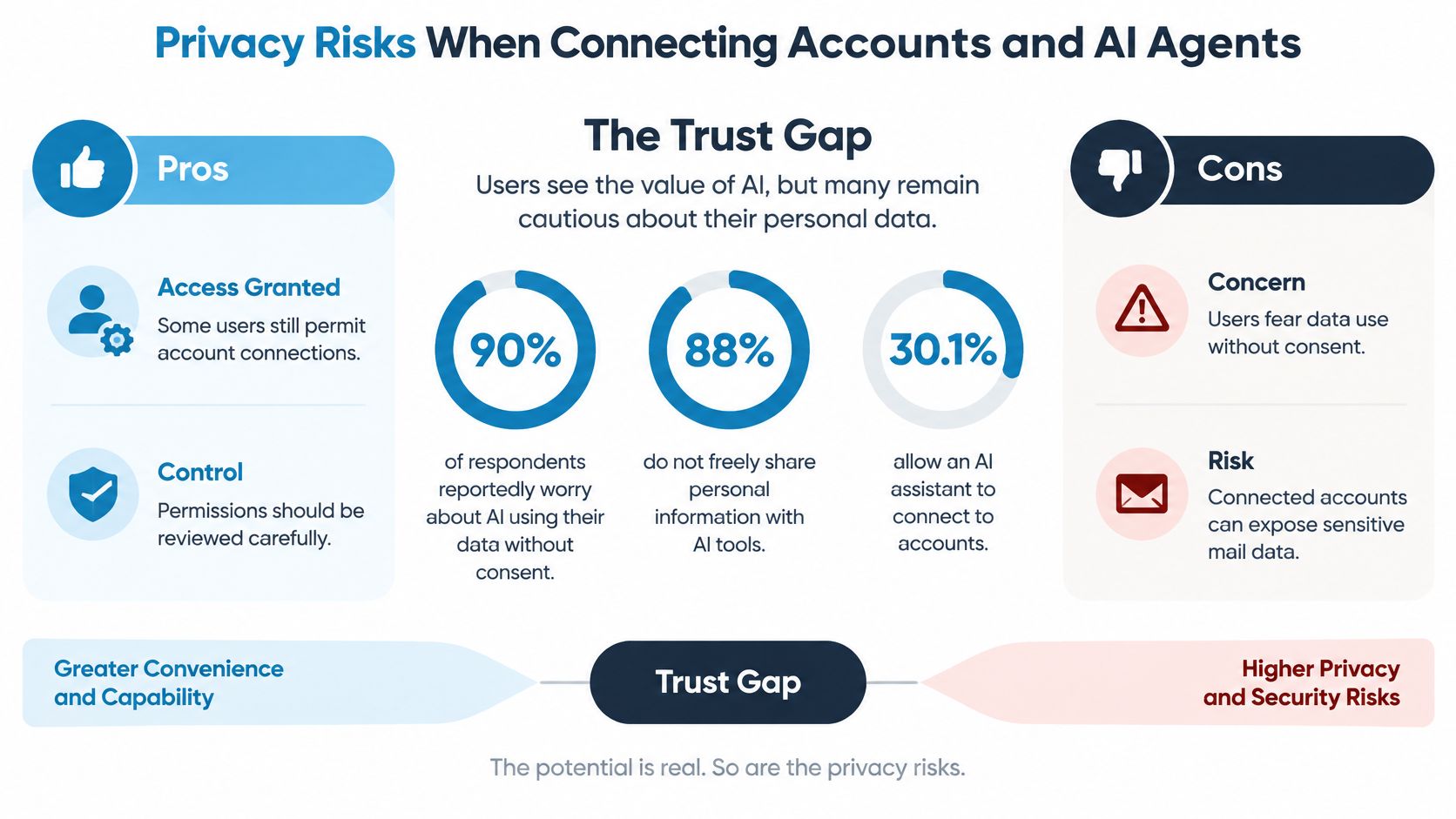
The trust gap is explicit: Mailover's State of the Inbox report reports that 90% of respondents worry about AI using their data without consent, while 88% don't freely share personal information with AI tools. Convenience doesn't settle whether a particular mailbox should be accessible to an assistant.
The graphic summarizes that tension between concern and granting access.
Separate authority from data handling
OAuth scopes describe what a provider authorizes an application to do. An aggregator's own agent permissions may impose another layer of restrictions, but they don't necessarily narrow the provider credential underneath. Check both layers.
Read access can expose recovery links, attachments and confidential correspondence. Change access can alter organization or message state. Send access lets an assistant communicate under your identity, so it deserves an explicit decision rather than a convenient default.
In our Mac app, mail downloads directly from your provider to your Mac and is stored there; it doesn't pass through our servers. When an assistant requests mail through our hosted connector, our servers fetch only what was requested, pass it to the assistant and keep no copies. The assistant's own handling of that content is a separate consideration.
Access level by account type
| Account Type | Main Risk | Access to Grant |
|---|---|---|
| Personal Gmail or iCloud | Old receipts and recovery emails reveal identity | Read-only for agents unless changes are needed |
| Work Outlook or client mail | Client data and confidential threads leak | Read-only, no send, separate agent key, subject to employer approval |
| Healthcare or regulated mail | Sensitive records and compliance obligations | Keep out of agent access; check applicable requirements and provider terms first |
| Self-hosted IMAP server | Server credentials and logs remain your responsibility | Dedicated credential, revoked when the tool is retired |
Revocation stops future authorized access; it doesn't recall information already disclosed. Remove the relevant provider authorization or credential, disable the agent key and separately address retained local or assistant-side copies. For a hosted connection, closing the desktop app isn't revocation.
Agntz's guide to securing enterprise AI systems offers broader context for organizational controls. The AI agent connector guide explains the connection workflow to evaluate alongside those controls.
The trade-off cuts both ways:
- Potential benefit: Replacing unrelated integrations with a controlled access layer can simplify oversight and revocation.
- Potential cost: A compromised credential or over-permissioned agent may expose every mailbox it can reach.
Keeping Identities and Records Separate
In Exclaimer's consumer communication research, 22% of adults had missed important information sent through a platform they rarely check, and 18% had lost important messages after an account closure, device change or platform deletion. Bringing correspondence together helps attention, but preserving its origin is equally important.
A trustworthy record should show who sent the message, which account received it and where subsequent actions occurred. A conversation displayed as a single thread doesn't necessarily belong to a single mailbox.
Questions to test with real messages
- Identity visibility: Do account colours and addresses remain visible in search results, replies, attachment views and exports?
- Aliases and shared addresses: Can you distinguish an alternate sending address from a mailbox accessed by several people?
- Sent records: Does each sending method leave a copy in the originating provider's Sent folder?
- Duplicate handling: Can you inspect account-specific copies rather than having similar messages collapsed?
Gmail labels and conventional IMAP folders don't map perfectly. A message can carry several labels, while a folder-oriented interface may present those labels as separate locations. Search results should make it possible to understand whether you're seeing another view of a message or a separate delivered copy.
Sending also needs its own check. When an assistant sends through our connector, we hand the message to your provider's outgoing server and don't file a copy in Sent. Successful delivery therefore isn't proof of a stored sent-mail record.
For organizational accountability, ISO Security's discussion of evidence auditors expect for compliance helps frame why retrievable records matter beyond inbox convenience.
Send a test message to yourself from each identity, including any agent-assisted sending route. Inspect the actual From address, the account colour and the provider's Sent folder before relying on that route for client correspondence.
Choose the Right Aggregator for Your Accounts
Choose an email aggregator by matching it to your boundaries, not by counting interface features. A desktop reading workflow and an assistant-driven workflow need different acceptance tests.
Make the decision in a practical order
- Inventory your addresses. Mark each as personal, work, client-facing or regulated. Include aliases, shared addresses and the company server you only open occasionally.
- Eliminate incomplete candidates. Require working connections to your actual servers, visible account identities and search that can be narrowed to a mailbox.
- Decide authority before connecting. Write down which accounts an assistant may inspect, organize or send from. Leave sensitive accounts disconnected when the available controls can't enforce your boundary.
- Trial the least sensitive mailbox. Test synchronization, archive behavior, outgoing identity and revocation before adding work correspondence.
For a Mac user who mainly wants a shared inbox, the decisive checks are readable account cues and support for the company's IMAP server. For someone who wants an assistant to find unanswered client mail, the decisive questions concern account inclusion, permitted actions and the ability to disable that assistant's credential.
Evaluate Sickle against those requirements rather than treating it as the automatic choice. Our Mac app is optional: you can sign in on the website, add mailboxes and use the agent connector without installing it. One subscription covers the Mac app, every feature, every mailbox and the connector; the connector isn't a separate add-on.
Don't proceed just because a test message appears successfully. Stop if you can't establish what deletion means, where sent records go or which mailboxes an agent can reach. The right aggregator makes account boundaries easier to manage, not easier to overlook.
Sickle offers a native Mac email client and an optional hosted connector for assistants to access connected mailboxes. Visit Sickle to evaluate your provider connections, review agent permissions and begin with a low-sensitivity account before connecting your work mail.